







Managing high-volume workforce training is a constant operational hurdle for commercial carriers, especially when access to full-flight simulators and active aircraft remains limited. Virtual reality is transforming this landscape by offering forensically accurate, true-scale digital replicas for crew and maintenance personnel. From procedural engine ground runs to cabin safety protocols, immersive environments help trainees build vital muscle memory and meet competency requirements without operational disruption. Aliesha Staples, CEO of StaplesVR, explains how the company combines accurate simulation, assessment data, and technical support to make virtual reality a practical part of airline, ATO, and MRO training worldwide.
How has StaplesVR’s aviation training business developed since it was established?
We started as a VR software supplier for aviation about 12 years ago. We learned very quickly that our clients, including airlines, approved training organisations and maintenance, repair and overhaul providers, needed more than software. They needed help integrating headsets into their training programmes, training their trainers and operating the technology in an airline environment.
We consider ourselves one of the most established aviation VR training companies and we supply the headsets and software, along with maintenance, support, onboarding and the data customers need to adopt the training effectively.
Which airlines use your solutions, and where does StaplesVR operate?
We have customers around the world and consider ourselves a global company. For example, Jetstar in Australia has been a customer for about seven years, and easyJet is one of our largest customers in the UK.
We are headquartered in New Zealand, where the company was founded, and we have offices in Australia and the UK, as well as a presence in the United States.
Airlines have large workforces with significant demand for simulator time, access to trainers, physical devices and aircraft parts. Our technology helps reduce that demand by enabling suitable procedural training to be done in VR, freeing simulators for the training they are designed to deliver and creating efficiencies during training, such as reduced time needed on physical devices such as door trainers.
From a trainee’s perspective, how does a VR training session work?
There are multiple ways to deploy the training. For example some headsets are taken offsite by the trainee to complete the training in their own time, this works well for new trainees such as pilots or cabin crew who can complete training in the headset the night before being tasked with completing it in a simulator or on a device such as a door or engine in the case of borescope.
The other way is a classroom environment where multiple trainees put on a headset and complete the training. Our system is designed to enable mass headset deployment and synchronised training with remote visuals, so the trainer can monitor what each trainee is seeing/doing in VR.
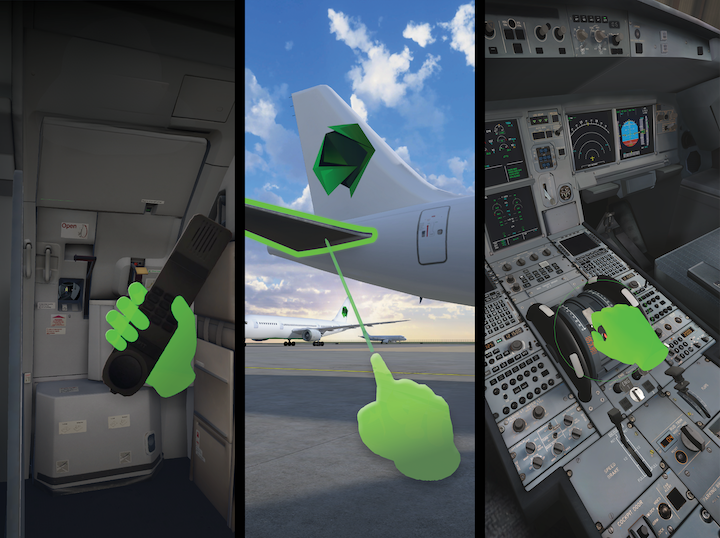
For the trainee, the session feels the same no matter whether they are completing it at home, in a hotel room or in a classroom.
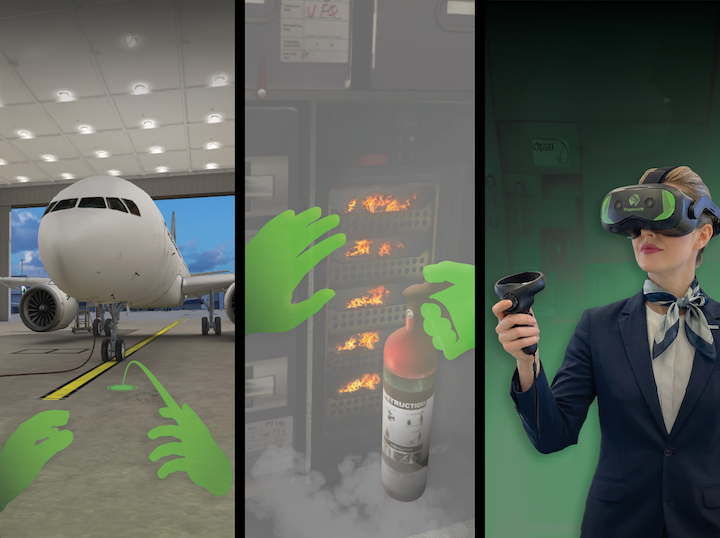
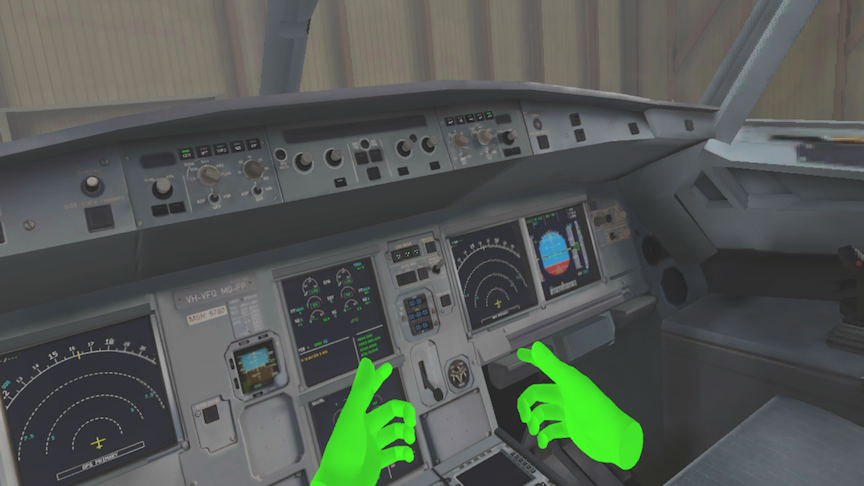
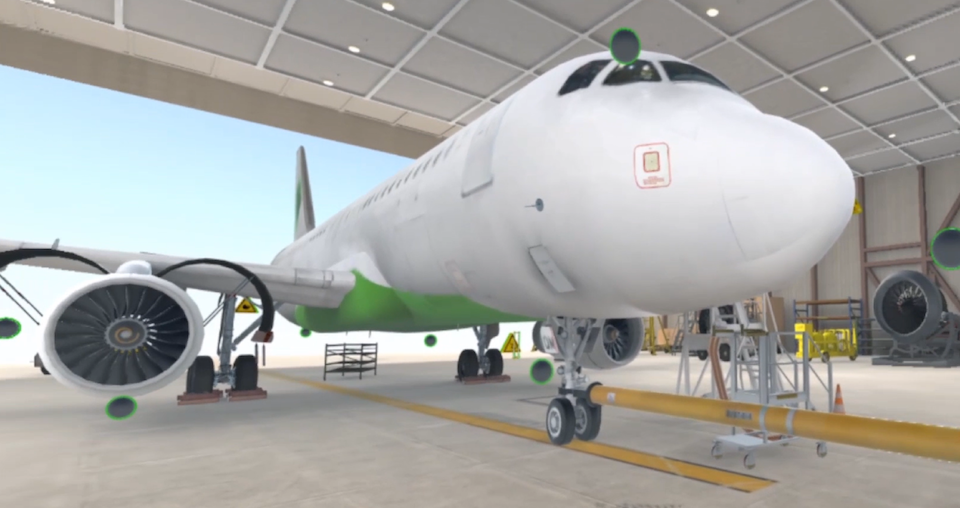
The trainee puts on a headset and is transported to a photorealistic replica of the required training environment; this could be outside an aircraft that is situated at an airport or in a hangar or inside the aircraft in the cockpit or in front of the door, for example.
Once immersed, they must complete a procedural trainer or “walk-through” of the training to confirm they are ready for an assessment, and the assessment itself is then completed in VR.
Everything is presented at true scale and is forensically accurate. A button or handle appears in exactly the same position as it would on the real aircraft, which helps the trainee develop muscle memory and confidence.
Using the controllers (or in some cases just their hands) trainees can pick up a fire extinguisher and extinguish a fire, walk around the aircraft and identify damage complete a cockpit procedure etc. It effectively gives each trainee their own aircraft without the cost and logistics of using the real aircraft and the associated equipment.
How long does a typical VR training session last, and how is competency assessed?
It depends on the complexity of the task, but an average session lasts between 25 and 30 minutes. More complex training can take up to 45 minutes. Beyond that, it can become too long to spend in a headset.
For procedural training, a virtual trainer guides the trainee through each step. An assessment then confirms their understanding. The resulting data shows whether the trainee understood and completed the task, allowing competency to be documented.
What trainee data does the system capture, and how is it used?
The system can integrate directly with an airline’s or training organisation’s learning management system.
At a basic level, it records the trainee’s name, the dates on which training was completed and whether the trainee passed or failed but VR can capture much more detailed information, including how long someone took to move from one step to the next, what they looked at, how long they looked at it, when they paused and the order in which they touched or operated different items.
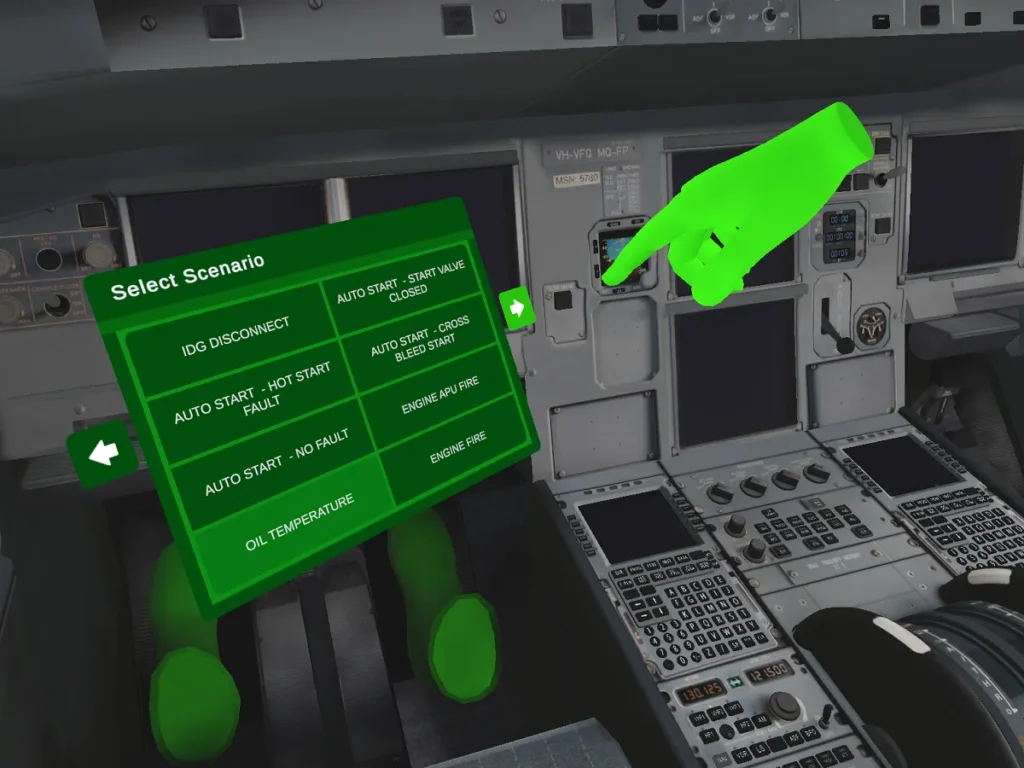
Where the headset provides eye tracking, it can also record that information. The data can be sent to the learning management system or stored locally on the headset depending on the customer’s needs.
The challenge is not capturing the data; it is deciding what to do with it. We focus on the information that matters, such as the trainee’s name, employee number, result and completion time, so that competency can be confirmed and tracked
Some customers are not yet collecting every available data point which is a good approach when you first get started. Their priority is simply to give trainees access to an aircraft or piece of equipment that might otherwise be unavailable.
What types of training do customers request?
We began 12 years ago with engineering applications. One example is borescope training. Access to engines is a significant industry challenge, particularly because of the global engine shortage, so VR is well suited to that type of training.
We also provide engine ground-run training, this allows airlines to move that training out of full-flight simulators and return those simulator slots to pilots, while engineers complete the procedure in VR and we are in development on push back procedures and de-icing.
For cabin crew, the applications include firefighting, evacuations, operating cabin doors and cabin familiarisation. Cabin crew are note longer required to visit an aircraft, walk through it and identify the locations of equipment such as first-aid kits and fire extinguishers. The same learning outcomes can be achieved in VR without the time and cost involved in accessing a real aircraft.
For pilots, VR supplements the full-flight simulator rather than replacing it. De-icing, for example, may occupy 15 minutes of a simulator session even though it is procedural training. Pilots can complete that procedure in VR in the briefing room, leaving more simulator time for training that genuinely requires the full-flight simulator.
How do you create photorealistic replicas of aircraft and components?
Our applications are built using the Unity game engine. We focus heavily on making the experience look and feel like the real aircraft.
We use LiDAR scanning and photogrammetry to create forensically accurate replicas. That includes details such as the condition of a worn tyre and the precise appearance and position of individual buttons and controls. We want trainees to recognise the aircraft exactly as they would encounter it in real life.
We really specialise in photorealistic environments with the VR mechanics designed with the end user in mind. We have zero tolerance for motion sickness and a key requirement in our designs is the user must be able to use it even if they haven’t played a “game” before.
How do the maintenance modules simulate tactile feedback, and what limitations remain?
We use vibration through the controllers, together with sound, to make the experience more immersive. For example, when a trainee correctly opens a latch or closes a hatch, the controller can vibrate to provide feedback.
We accept and lean into the fact there are physical limitations. A virtual spanner does not have the weight of a real one, and the trainee is not physically touching an engine or opening a real aircraft door so they wont have the weight element they have in the real world so in VR, even the heaviest aircraft door is the lightest door you will ever open.
We can use vibration and sound to improve the sense of immersion, but the tactile experience will never be exactly the same as interacting with the real object. However, the learning outcomes as well as the ROI results are being achieved, and the increased safety awareness and access to training show that the benefits outweigh the limitations.
How does the system support classroom and remote training?
A trainer can use the backend system to remotely switch on and launch training across multiple headsets. If 100 people are in a room, the trainer can start all 100 headsets at the same time and use a laptop portal to see what each trainee sees.
That makes the system suitable for classroom deployment. Some customers also give headsets to trainees to take home or use in their hotel the night before a course begins.
Multi-user functionality, classroom enrolment and device management are all included in the system and part of the service StaplesVR provides to ensure the success of implementation into the airline.
You are also able to dial into a VR enrolment from other locations so the trainee can be in London completing the training and the trainer could be in Milan talking watching this take place and talking remotely directly to the trainee. You are no longer limited by physical location.
Which headsets does the software support, and what support do customers receive after deployment?
Our software is headset-agnostic and can be deployed on major platforms, including Pico, Meta, VIVE and Varjo. However, that does not mean every headset is equally suitable for every customer.
When we are providing the ongoing support, we tend to recommend VIVE because we see it as more of a business tool than a consumer gaming device and it provides additional features we have found beneficial to customers needing enterprise roll outs.
We supply both the headsets and the software. If a headset breaks, we support or replace it. Our device-management backend also allows us to deploy updates, monitor the health of the headsets and provide support wherever the customer is located, including India.
What interest are you seeing from the Indian market?
We are seeing a lot of interest from approved training organisations, airlines and MROs in India. The demand covers cabin crew, pilot and engineering training, predominantly for the Airbus A320, although we are also seeing interest in ATR aircraft.
We are negotiating with a couple of airline customers, but those agreements have not yet been signed, so I cannot name them. We have also been approached by MROs.
India is a key focus for us over the next 12 months, and some of those discussions are now approaching the contract stage. If the airline agreements proceed, we would look at establishing a presence in India.
We will be in India in December to support our focus on the country and will be back again in February to attend Aero India 2027 and encourage anyone looking for how to start using VR to supplement or replace elements of their training to reach out, and we can add them to our planning for our December trip.
Also Read: India’s Pilot-Training Crunch: The Quiet Crisis Behind the Aviation Boom